
HYTE Y50 RGB PC Case Review
The HYTE Y50 is a dual-chamber PC case featuring panoramic glass and four ARGB fans, compatible with various motherboard sizes. Priced at $149, it offers easy hardware installation and superb cable management. It supports liquid cooling and has provisions for additional fans, making it a versatile choice for builders.


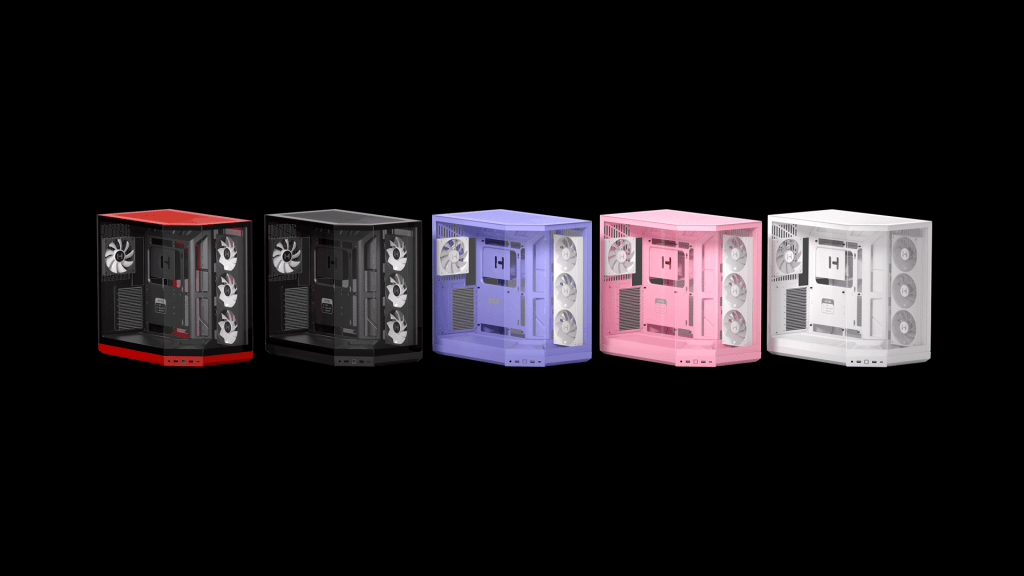
Getting a new PC case is always exciting, and a great excuse to give the rest of the PC a bit of love. Hyte has graciously sent out the Y50 RGB PC case for me to install my new hardware into. The case I have is the Snow-White colour; however, there is a range of colours available. The case can fit motherboards from both sides of the spectrum and everything in between, from tiny ITX to the massive E-ATX.
I chose to install a micro ATX board, as that is what I had recently purchased. The hardware I have installed is as follows: Gigabyte B760M Gaming Plus Wi-Fi Micro ATX Motherboard, paired with an i5-14400, 12Gb of G. Skill Ripjaws DDR4 RAM, and an Asus GeForce RTX 3060ti.
The case was delivered to me in its standard packaging, mailed from Hyte to me in around a week. Upon its arrival, the box had a few scuffs and holes, but even with the rough journey, it was sufficiently housed with no scratches or damage. Unboxing the unit was fun and easy to do. Cutting the top of the box and pulling the case out, removing the external protective foam, then reading the instructions on how to open the case.
This case features a convenient no-tool system that allowed me to access the main components and internal parts without using any tools. The manual was very helpful during this process, especially since the tension is quite stiff when initially opening the sides and top; they tend to snap and lock in place securely. After successfully opening the case, I had to wait for the main hardware to arrive, which took longer than I had anticipated.
Once the motherboard and CPU arrived, I was able to grab the other hardware from my older PC and begin constructing it all. The Case arrived with the stud layout for an ATX board, but it is easy to swap over the offsets to meet the M-ATX size, and it is even labelled for convenience. With the RAM, CPU and CPU Fan installed on the motherboard, it was time to transfer the board into the case; this process was made easier because of the space available in the case. With the board in and lined up, I screwed it into place with the provided screws.

With the motherboard secured, I rotated the case and installed the PSU with the provided screws, an easy process due to the impressive amount of space in the rear of the case; with little routing, I soon had the cables in the required spots and the rest secured to the side. Only one of the lighting cables required some adjustment to make sure I could link them.
Cable routing was made super easy because of the design, with big rubber grommets to ensure cables aren’t bent too sharply and plenty of options on where to put the cables. Most of the cables are labelled, which was very helpful, especially for the front ports and USB. This is possibly the easiest case I have used in recent years in terms of cable management.
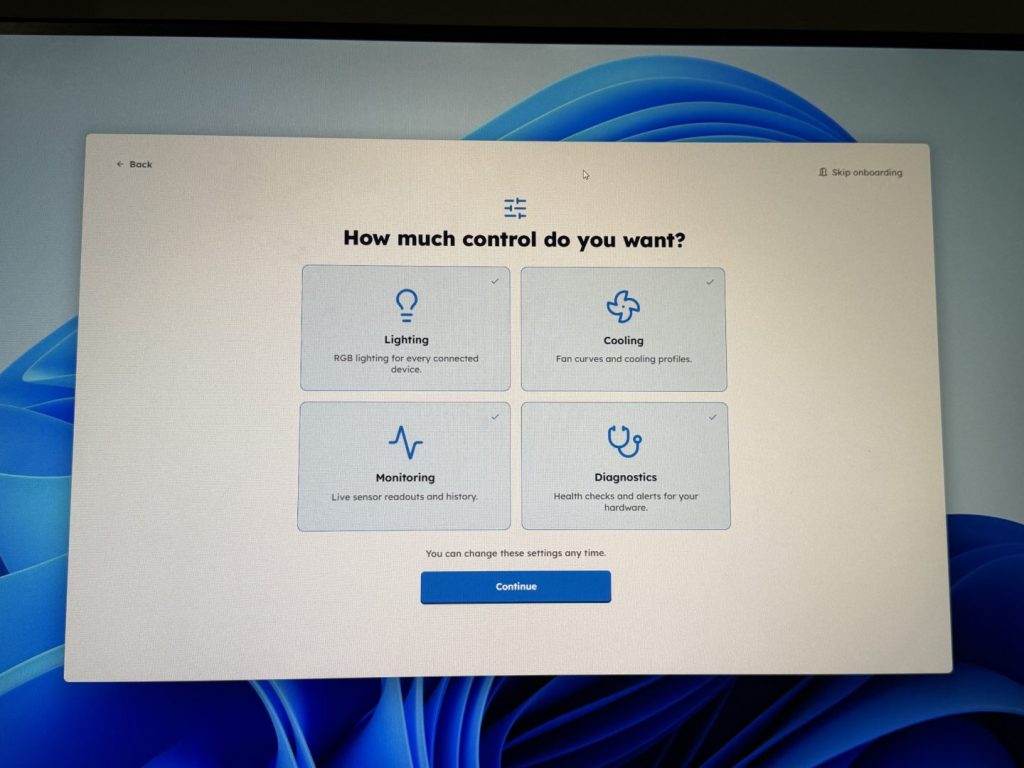
With the hardware all installed and the system able to boot, it was now time to install the NVME with the operating system; in this case, it is Windows 11 Pro. Once I had booted and completed some updates, I also installed the Nexus software. This software not only controls the lights and fans but can monitor the full system. With the Nexus software, I was able to benchmark the PC, check temps, set fan curves and control lighting. I flicked through some of the lighting options; it was able to detect the fans and motherboard immediately, but it didn’t work for my GPU.
Now the PC was up and running and had the colour profile I wanted; it was time to look at the fan and temps. With the PC running on the silent setting, it idled at a mid-thirties temperature. When running the benchmarks, that temperature only leapt up slightly when the PC was really pushed. I could not hear it running at all during the time I had it with the supplied four fans.
The case has provisions to install more fans and lighting if needed. The Y50 RGB supports up to nine 120mm Fans in total. The case comes with three side and one rear fan mounted; there are spots at the top and bottom of the case to add additional fans. With three 120mm or two 140mm fans at the top and two 120mm fans at the bottom. The bottom fans max out at thirty-two millimetres.
For those who want liquid cooling, this case has support for 360mm radiators at the top and side, or a 120mm radiator at the rear. Hyte lists the maximum length limit at 410mm for the top and side positions and a thickness of 46mm for the top and 83mm at the side. Those are for the radiator dimensions; the fans will also add height and size, so component clearances will still require inspection. For the CPU cooling, the cooler needs to remain within the 160mm height limit.
Hyte offers a variety of optional accessories, including fans, sleeves, and other PC building components, all available in different colours to match your PC’s personality. You can find these accessories on the Hyte website.
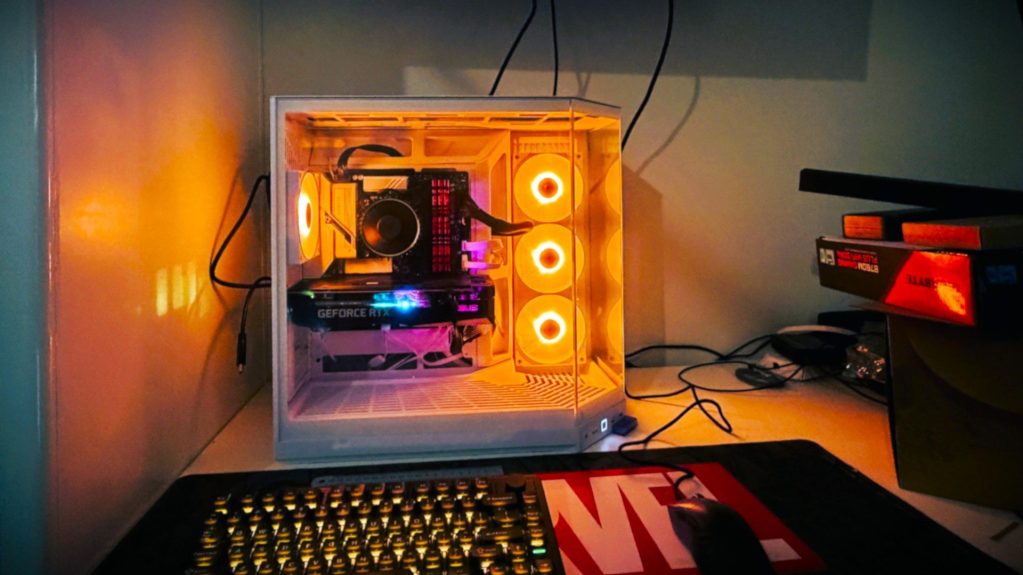
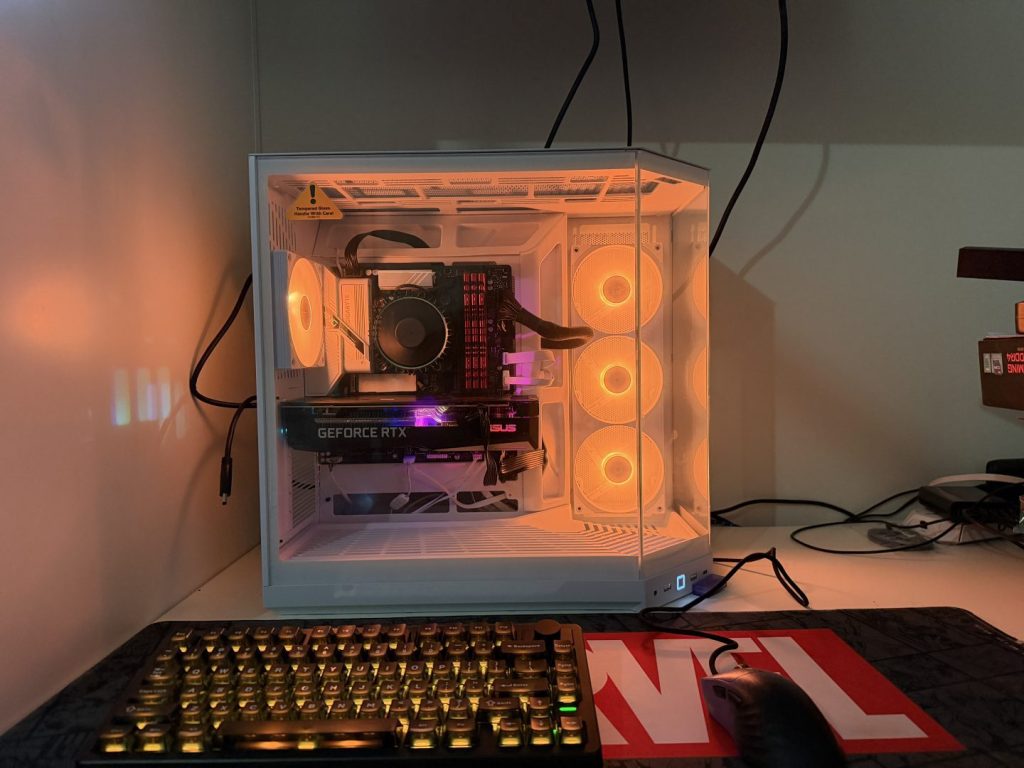
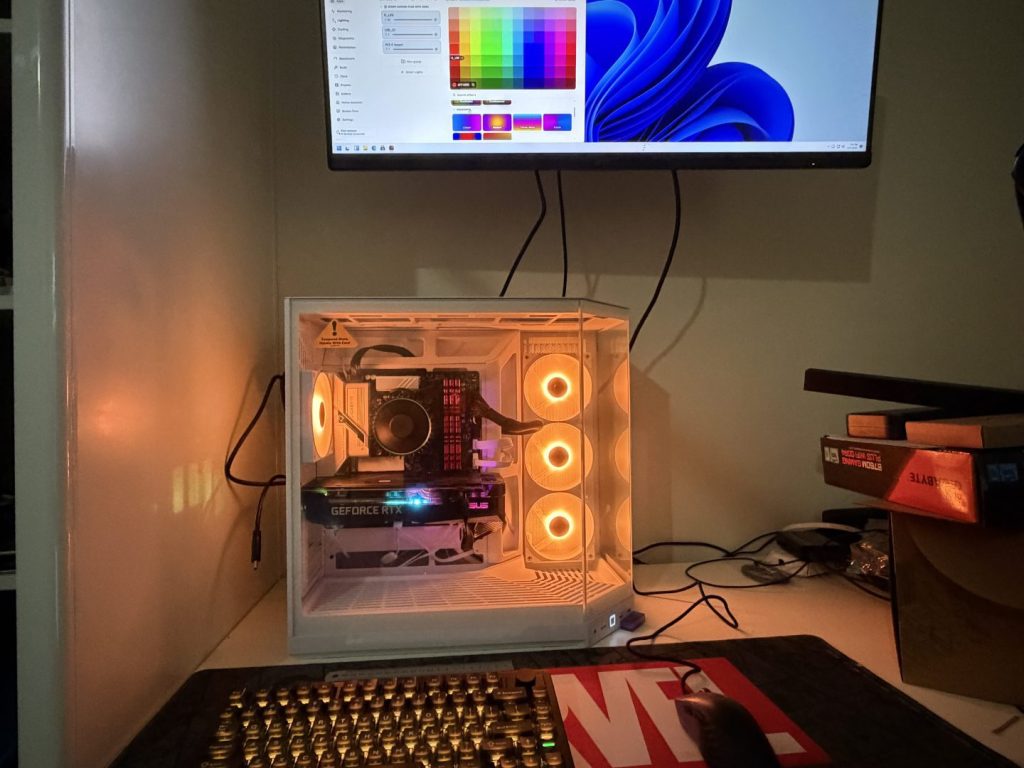
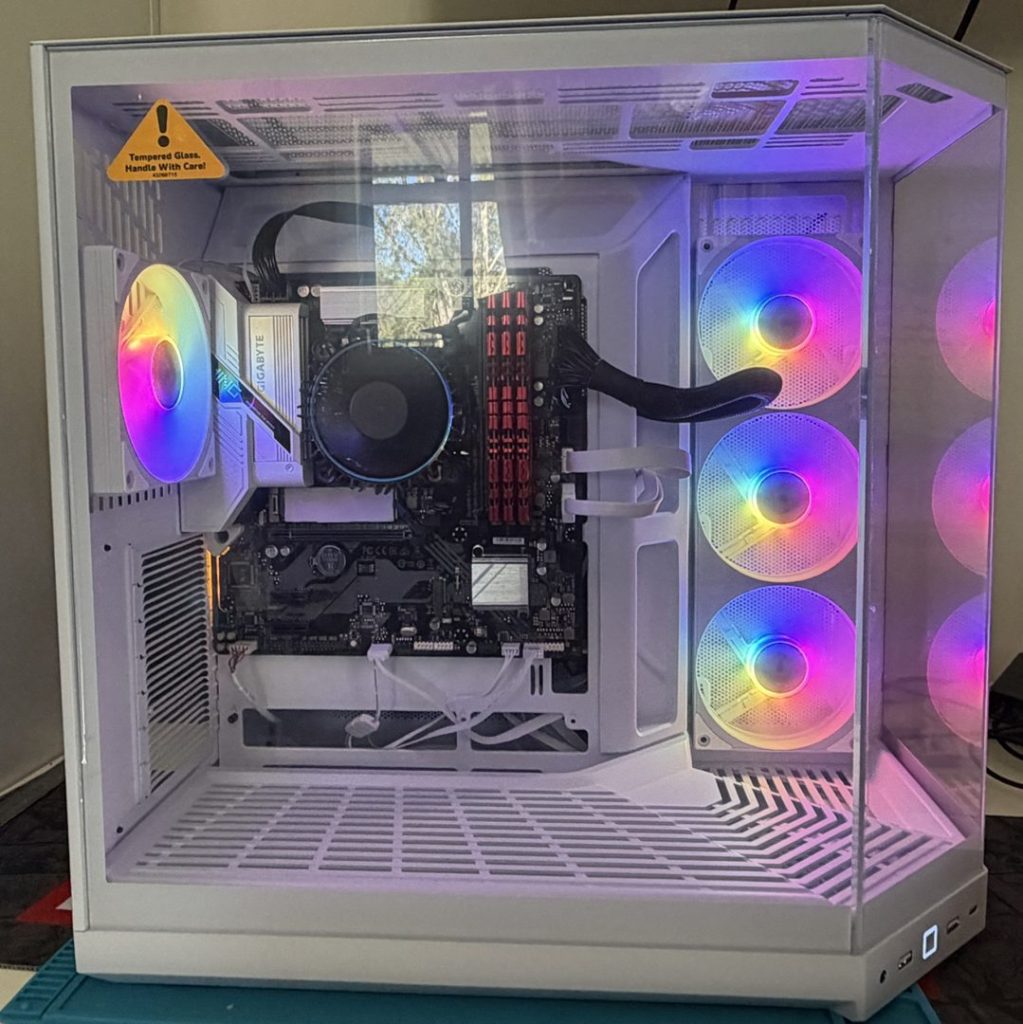


The Hyte Y50 RGB case is an exceptional choice for anyone looking to build a custom PC. Its construction strikes a perfect balance between durability and lightweight design, providing a solid and robust feel that instils confidence in the build. The internal layout is thoughtfully engineered to support a wide range of components, making it suitable for both high-end gaming rigs and more modest setups.
One of the standout features of this case is its excellent cable management system, which allows for organised and tidy routing of cables, resulting in better airflow and a cleaner appearance. The glass front panels not only enhance the aesthetic appeal but also create an inviting open environment that showcases the internal components beautifully. They allow ample light to filter through, illuminating the interior and highlighting RGB lighting elements.
From personal experience, I can confidently say that the Hyte Y50 RGB case stands out due to its user-friendly design. The tool-free access makes the installation process much easier and quicker, minimising the hassle usually associated with building PCs. Overall, this case combines style, functionality, and ease of use, making it a top contender for any PC builder.
A review unit was supplied for the purpose of this review. Read our Ethics Policy.
63.8 L
Case Dimensions
473mm (L) x 288mm (W) x 461mm (H)
Case Materials
Steel, ABS, Tempered Glass
Colours
Snow White, Pitch Black, Black Cherry, Strawberry Milk, Taro Milk
Motherboard Support
Traditional: E-ATX, ATX, mATX, ITX Rear Connect: Asus BTF, Gigabyte Stealth, MSI Project Zero
Power Supply
ATX up to 250mm in length (225mm with rear-connect motherboards)
Video Card Max Dimensions
360mm length, 170mm width
Top Fan & Radiator Support
3x120mm or 2x140mm Fans, up to 410mm long & 46mm thick Radiator
Side Fan & Radiator Support
3x120mm Fans, up to 410mm long & 83mm thick Radiator
Rear Fan & Radiator Support
1x120mm Fan, 120mm Radiator
Bottom Fan Support
2x120mm Fans up to 32mm thick
Included Fans
1x RGB 360mm w/ Reverse Blade Design (Side) + 1x RGB 120mm (Rear)
Fan LED Count
8x ARGB LEDs per blade
Fan Speed
200 – 1500 RPM
CPU Cooler Height
Up to 160mm tall
Internal 2.5” Drives
6x (4x shared with 3.5” bays)
Internal 3.5” Drives
2x
Expansion Slots
7x Full-Size
Front USB-A
2x 3.2 Gen 1 (5 Gbps)
Front USB-C
1x 3.2 Gen 2 (10 Gbps)
Audio/Mic Jack
1x Combo Jack
Warranty
4 Years
HYTE Y50 RGB PC Case
The Hyte Y50 RGB case was one of the simplest cases I have worked with. It looks and feels great, providing an awesome amount of room to work in.The Hyte Y50 RGB case stands out as one of the easiest and most enjoyable cases to work with. Its sleek design and premium feel are impressive, and it offers an exceptional amount of space for all your components, making assembly a breeze.

Jacob Hegarty
I enjoy games, and spending time with my pets, I also love drawing, painting, and being creative.
MORE FROM JACOB HEGARTY →


Comments