

The Skylight Frame is one of the better-looking digital photo frames I’ve seen and one of the most frustrating. Nearly every great feature I could make about the photo frame is hidden behind an “if you subscribe to Skylight Plus” comment. This isn’t to say there isn’t a family or home out there that would get their money’s worth by paying for this photo frame and the subscription, but my initial excitement was met with disappointment at the number of features locked behind the subscription service for a digital photo frame.
For the most part, I’ve found that no digital photo frames I’ve tested ever reach the quality of printing out a photograph, and the Skylight Frame hasn’t broken me on that claim, although it does look better than any of the alternatives. The glass screen covering and the weighty design of the metal case for the Skylight Frame 15″ model present a high-quality frame, but the photos can still look disappointingly low-quality and drained of colour. It’s more obvious when you stand right in front of it and look at this bright image of something on your phone, and then see it lose clarity as it comes across the frame.

Other than sticking the Skylight Frame within my hallway, where it is less likely to get direct sunlight or light from another source, the Skylight Frame with only 255 nits of brightness isn’t made for being in bright locations, especially direct sunlight. The glass screen is very reflective, and although it can stand out in a room at night, it’s a disappointment during the day. Don’t even think about placing this frame across from a window that’ll be open most of the day.
Getting photos onto the Skylight Frame is super-easy, and the frame itself has the most responsive software and screen I’ve seen in a digital photo frame. It reacts better than some cheap tablets. Flicking across the screen to change images, pause the slideshow or check the settings on the device is a breeze. Using the Skylight app is just as easy, and sending photos is as simple as pairing your photo frame and then selecting a bunch to send to your device. You can even hand out a unique email address and approve others in order for them to send photos directly to your frame. This is a fantastic feature for families who want to share moments with their loved ones in a more unique way than just sending a text message with the picture attached.


So what’s locked behind the Skylight Plus subscription I was complaining about that kind of ruins the experience? Unfortunately, a lot of features competitors have offered for free, like the ability to display videos on the frame, add captions to photos, make albums, and control the frame from within the app. The app even has a birthday card feature, which lets you design the whole card before being told it’s locked behind the subscription. Although you do get some stuff I understand would be worth paying for, like cloud storage, the amount of roadblocks you’ll come across between the frame itself and the Skylight telling you to pay $49 a year to access more features is ridiculous. This is a photo frame; you want to be able to plug it in and leave it, not worry about it creeping into your savings post-purchase just to display some albums named “Christmas 2023” and “Nan’s 80th.” on the home screen.
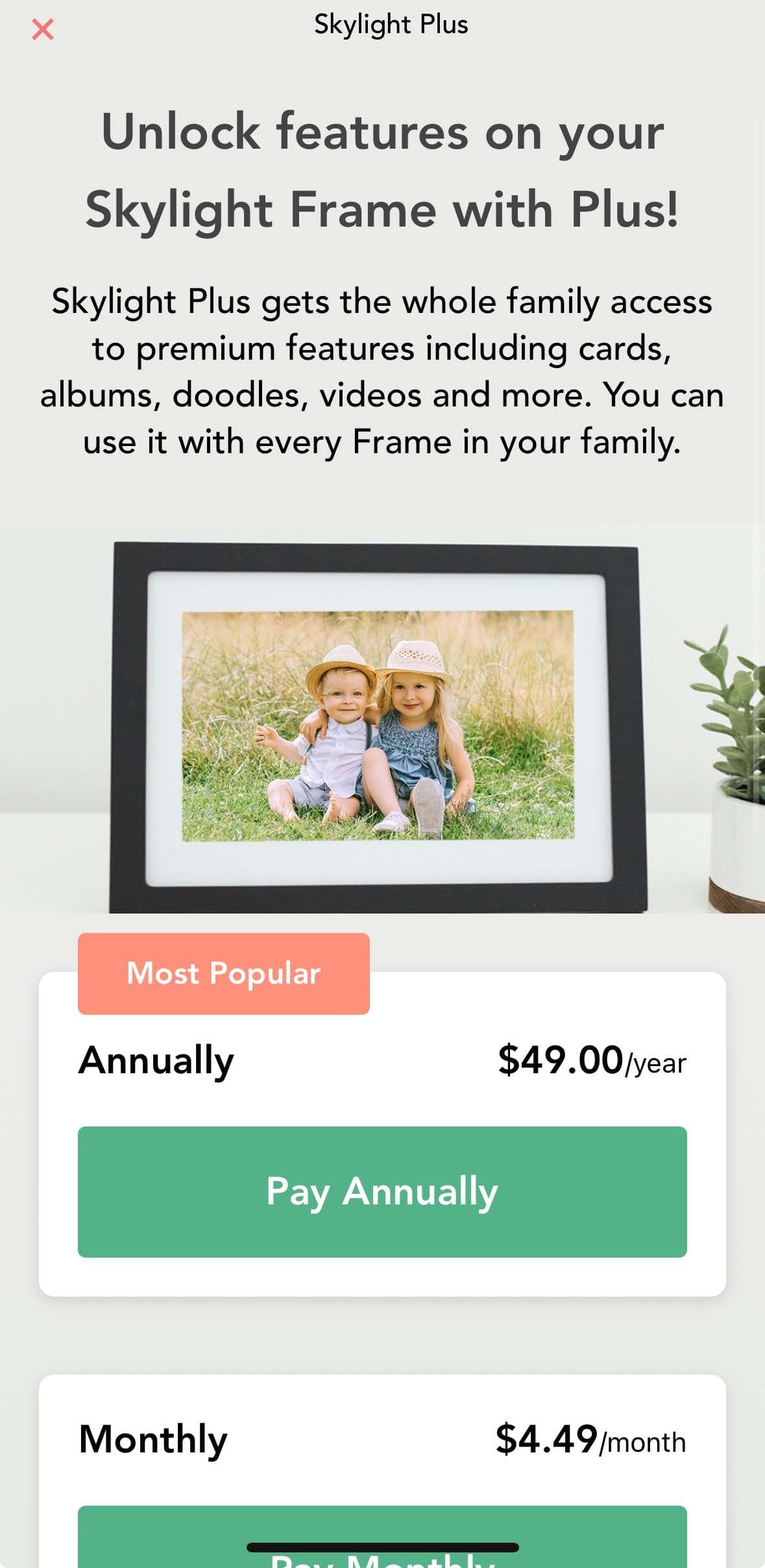
For all my complaining, I can’t look past this being one of the better digital photo frames on the market. But this is the kind of purchase you need to be sure about before getting yourself roped into another subscription, and definitely not the digital photo frame I’d be buying my grandparents to use.
(A review unit was supplied for the purposes of this article.)







My kids got me this frame for Father’s Day 2024. It died around Christmas. I tested the power supply and that is not the problem. Very disappointing to say the least.
Atlanta, GA