
Epomaker HE75 V2 Keyboard Review
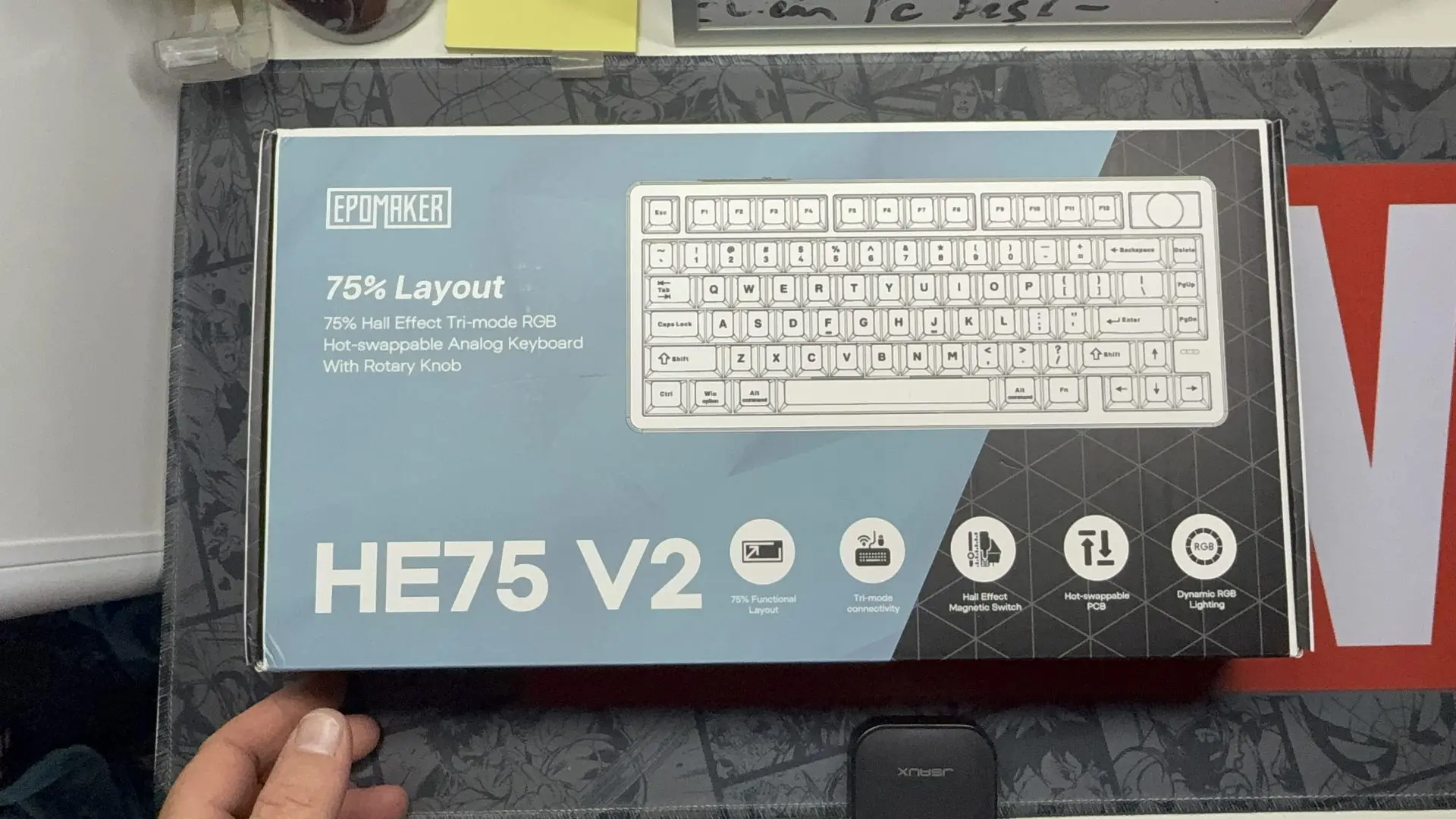
The Epomaker HE75 V2 is a compact 75% Hall Effect gaming keyboard offering wired, 2.4 GHz, and Bluetooth connectivity, compatible with multiple operating systems.

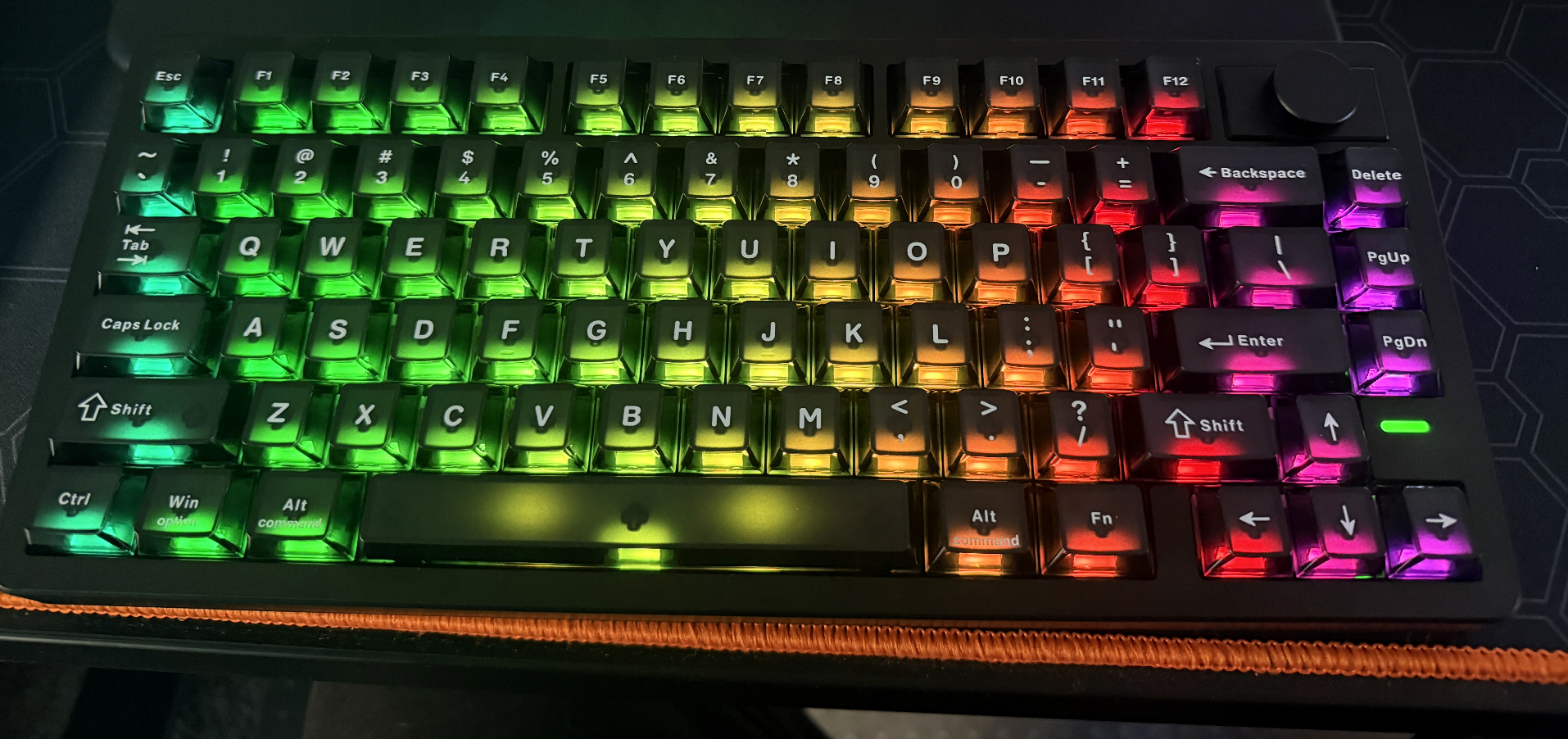
I have been using the Epomaker HE75 V2 for the past few months for a mixture of tasks, including gaming and some more mundane applications. I have enjoyed the smaller size, even if it is a bit of a departure from my standard-sized keyboard. The additional desk space has been great, especially while gaming. I do, however, find myself missing the number pad when doing some of my normal tasks, such as word processing, spreadsheets, and calculations. It gives my normal keyboard some competition.
The HE75 V2, as the name suggests, is a 75% sized keyboard utilising this board took some time to get used to. I do like the layout, and it is a great form factor, but I do miss the keypad at times. The compromise comes from the additional amount of space that is saved when using it; it is a big consideration when looking at these types of boards. The smaller footprint is great when gaming and for most of my daily tasks, giving me much more space on my desk for moving the mouse, or just for the aesthetic.
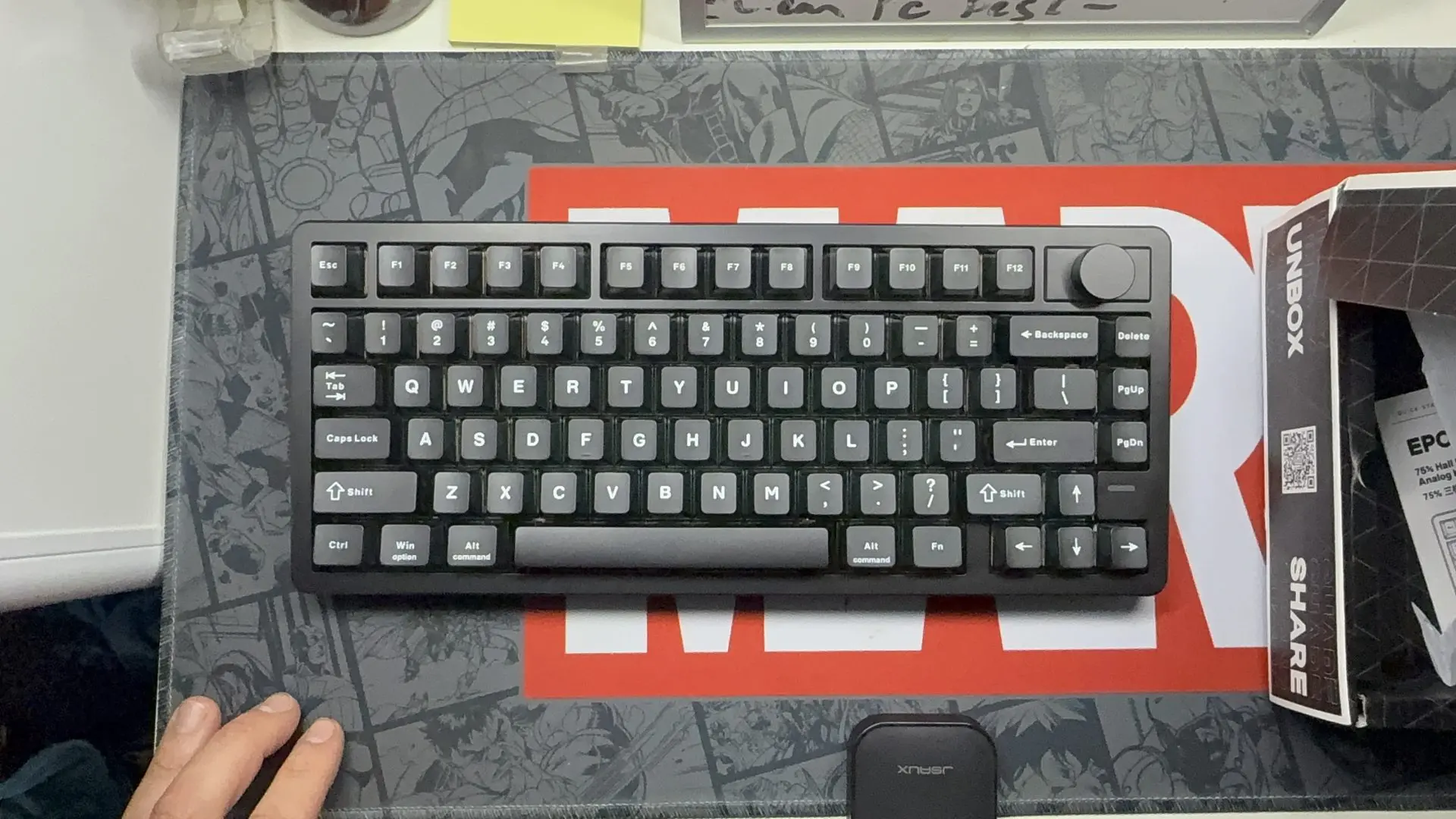
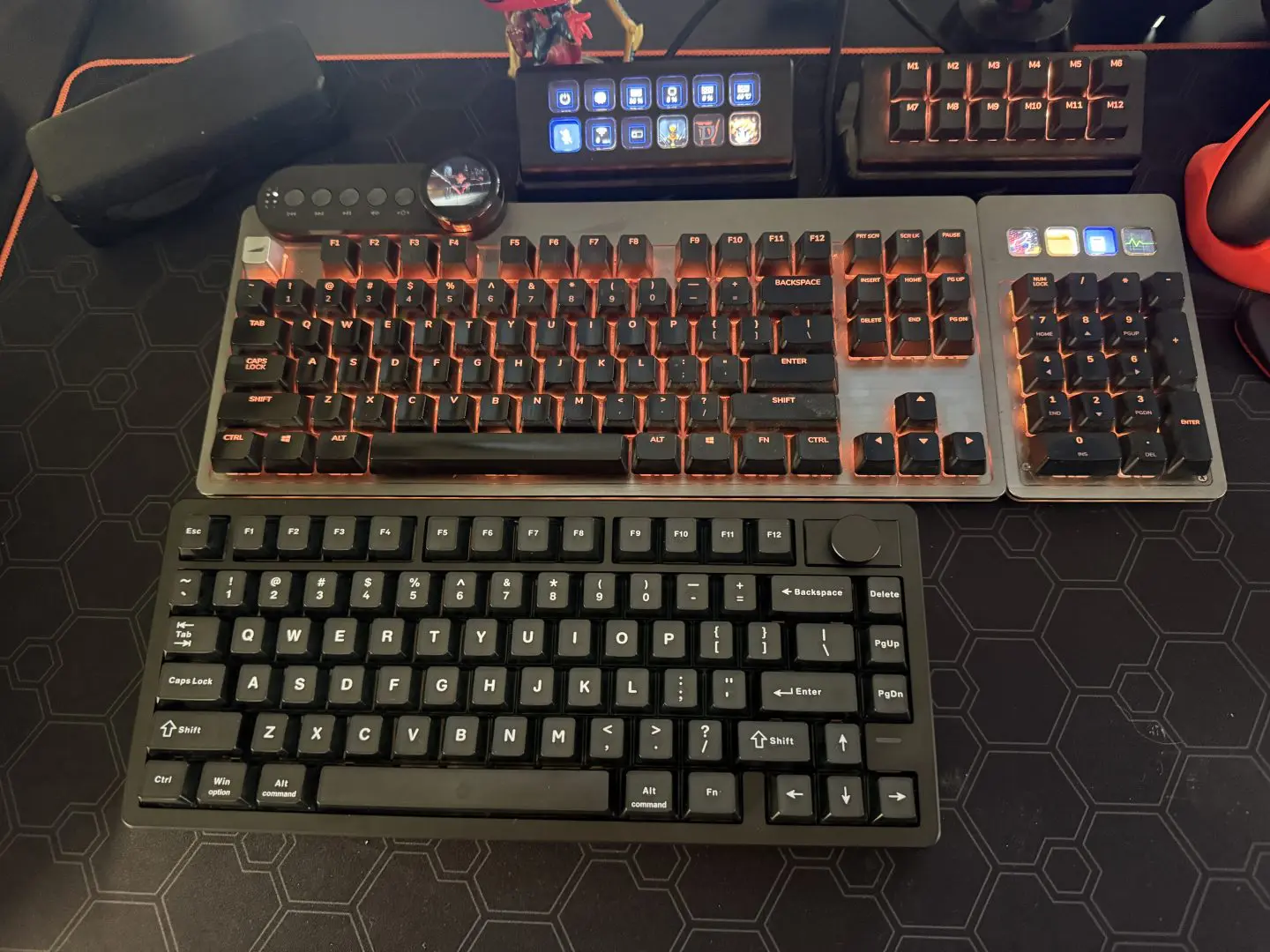

This smaller size has had the added benefit of travelling; I have taken this board on a few adventures when visiting friends for a gaming night or just when I want to get some additional work done away from home and would like the feel of a keyboard over that of a laptop. I would note that it is the heaviest keyboard I have used, coming in at around one kilo. I wouldn’t consider it a travel companion on a flight, but at most other times it’s been great.
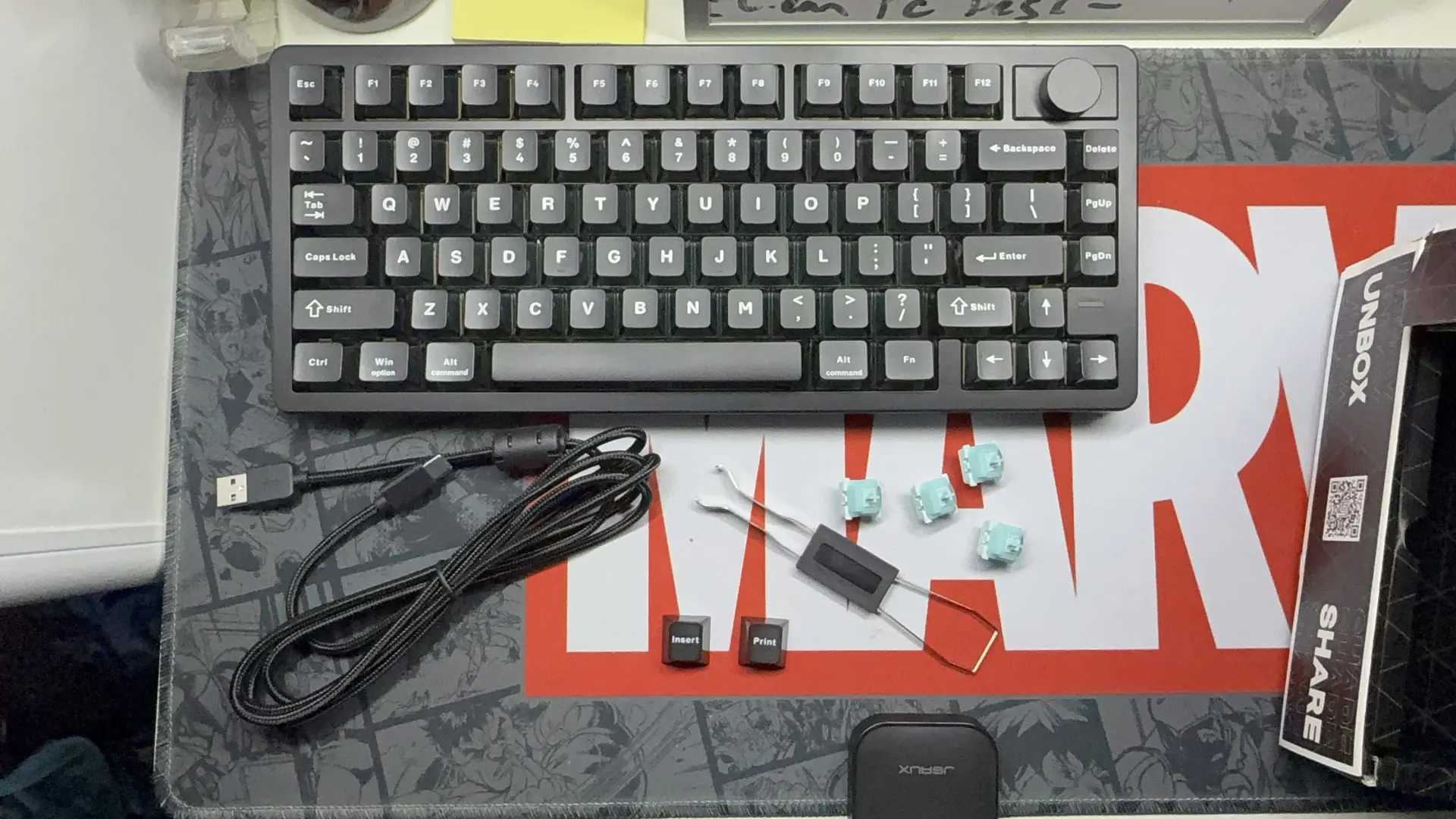
The HE75 V2 features a host of connection options, including Bluetooth, wired and wireless 2.4Ghz with its dongle. While I tried all three connection types, I mainly used it with the dongle as the small size and ease of connection made it the ideal companion. The tiny USB also slots in under one of the feet on the keyboard, making it easy to stow. I have used this board on most of my gear, including iPhone, iPad, laptop, Steam Deck, Steam Machine, and my Main PC. While the Bluetooth connection limits the keyboard slightly, it also features the option to connect to three different devices, meaning you don’t have to resync it every time.
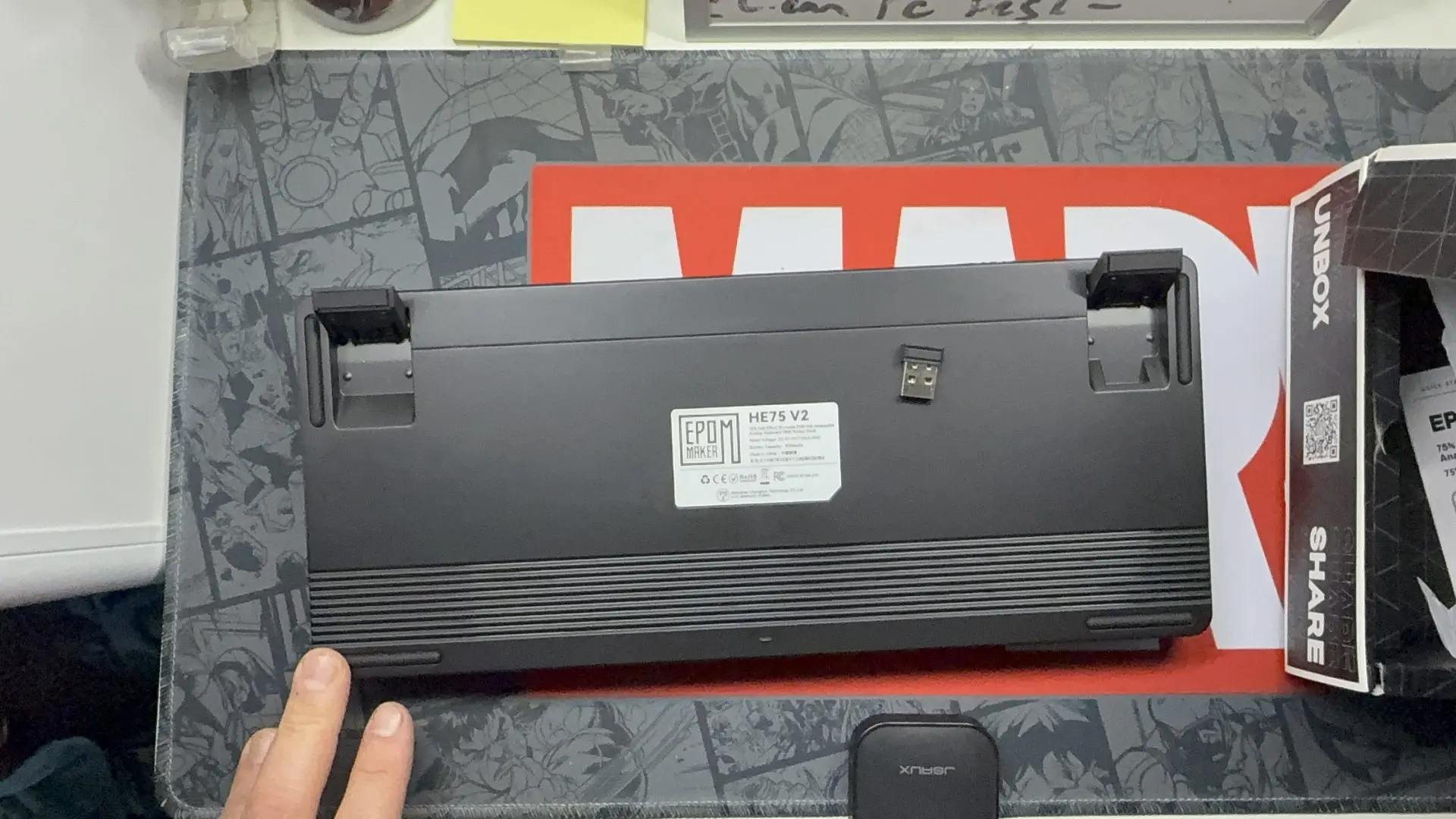


The 2.4Ghz and the wired option are great to reduce latency and when settings and adjustments are needed to be made. Some settings will still require the keyboard to be connected to the PC with the wire, but most options allow for adjustments with the dongle connection. The battery life on the unit is also amazing; with around twenty hours of life, I found myself often not needing to charge much between sessions.
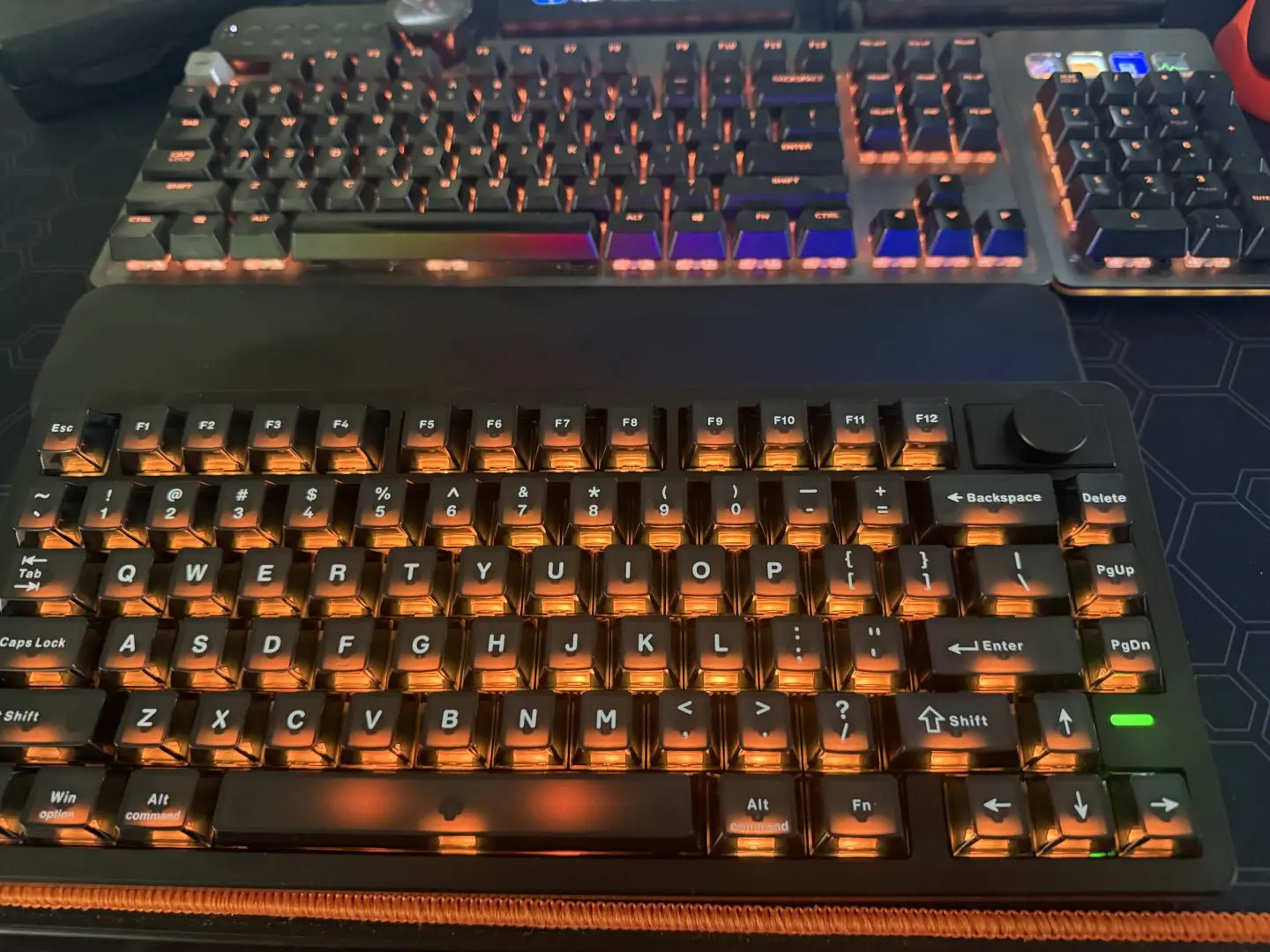
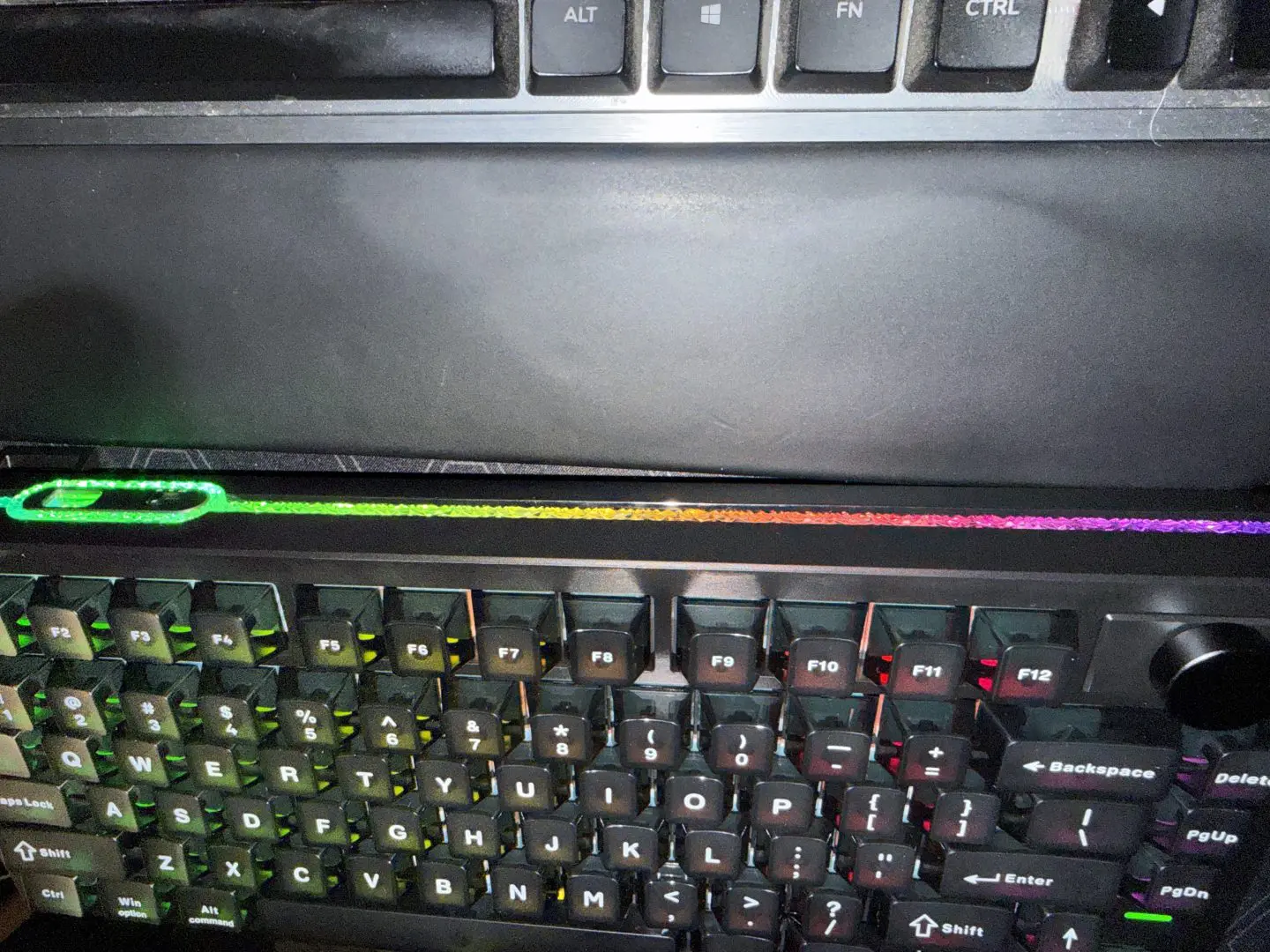
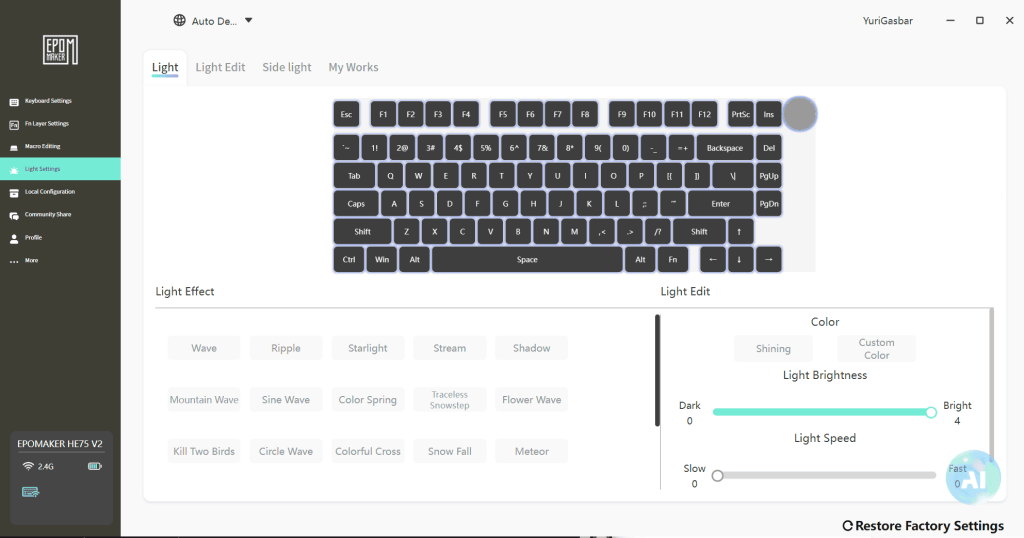
The RGB options on the board are quite diverse, with a range of default settings as well as a decent amount of customisation and two profiles to use. I typically used the board with the standard orange colouring I typically use across all my devices. However, I found that when listening to music, it was always fun to use the music follow setting that is both colourful and flows nicely with the music. The black keys also allow the colours to shine through while dulling them enough that they aren’t an issue in low-light conditions.
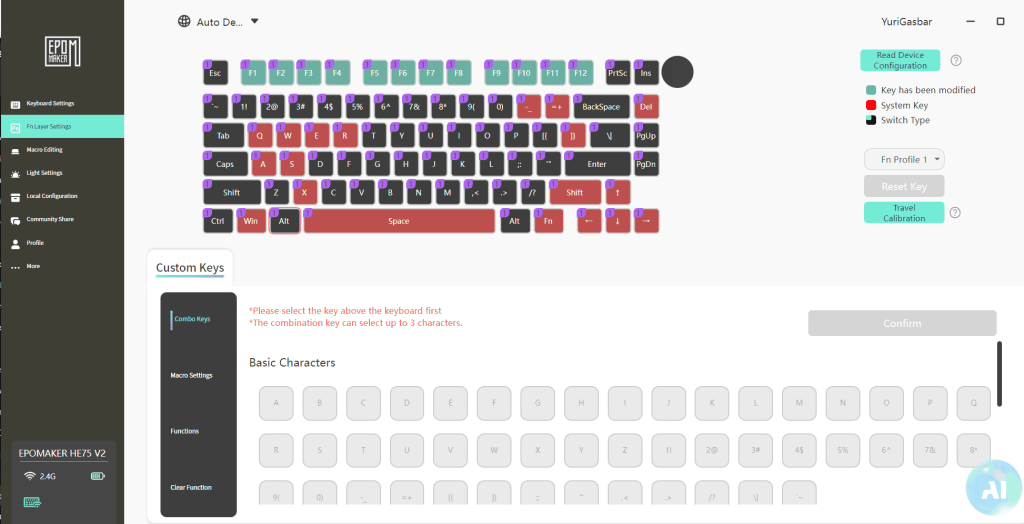
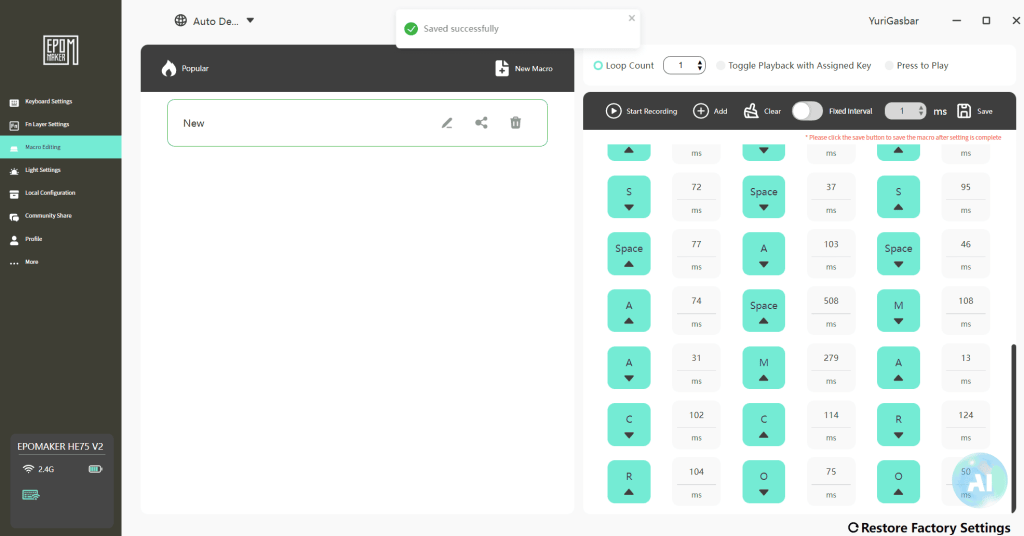
The lighting isn’t the only customisable thing on the board; the whole keyboard can be adjusted fully. Alongside this are also the macro settings; making custom macros is helpful in daily life as it is in the gaming space. I mostly left this unused, but I have often used it for quick access to shortcut commands. This keyboard features a modest number of function keys, which left me without the need to set the macros. Every key on the board can be reassigned to any other letter, number, or symbol at all; even the volume knob is adjustable.
This board is one of the louder boards I have used; being used to mechanical keyboards, there is a whole different level of “thunk” with this set of Creamy Jade Magnetic Hall Effect Switches. I did find that with some adjustment to the actuation settings; I could minimise the noise by shortening the keystrokes to a much lower setting. Although the thunk was there, it was a deeper sound than my normal Cherry keys. It brings a weird joy to me hearing the sound difference between the two. The board sound is another consideration I would need to look at if I were sharing my computing space.
The software that can be downloaded from the Epomaker website makes for easy adjustments and modifications. With an easy layout and multiple tabs for a range of functions. Including lighting, macros, functions and key assignments. Although I didn’t change much, I did have a play and see I could assign a few different things and even have some fun with the RGB colouring. I also made some basic macros.
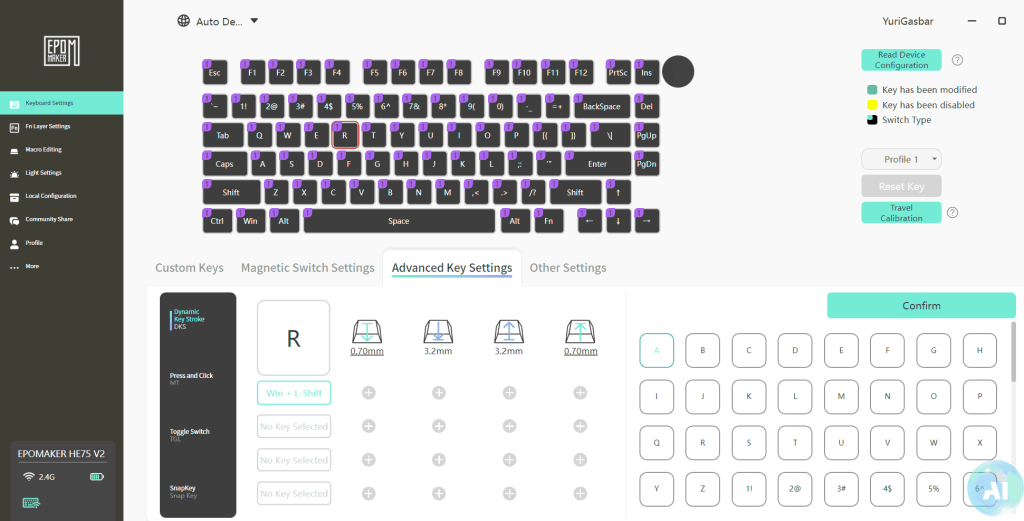
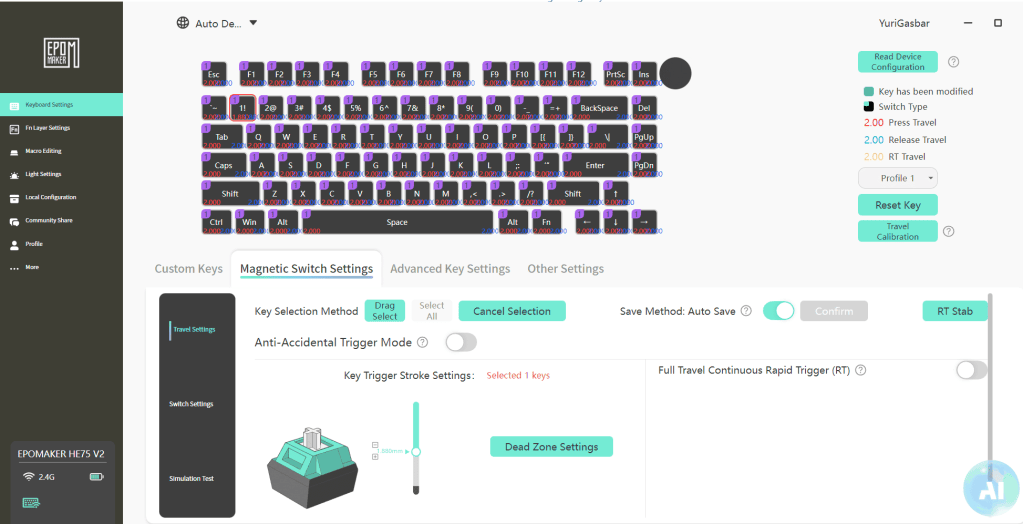
Other adjustments can be made to the actuation of the magnetic switches. This is my first keyboard to have this feature, so it took a little bit of play to find the position that suited me best. The keys have a range of 0.1 to 3.5mm, changing this setting adjusts the travel needed for the key to register a press. I adjusted mine to around 0.5mm, and it felt quite good for a quieter keyboard and daily typing. But moved it slightly higher on some games due to feeling accidental button presses here and there.
The keyboard was used for gaming a few times during my time with it, and often in shooters like Battlefield 6 or PUBG, both of which often require fast response, and the keyboard kept up. While in others, such as RPGs, I had a few of the keys set for fast access to healing and buffs to minimise the need to access menus. For this, I preferred both the software and the HE75 V2 over my Mountain keyboard. It is a great all-rounder keyboard that has won me over.
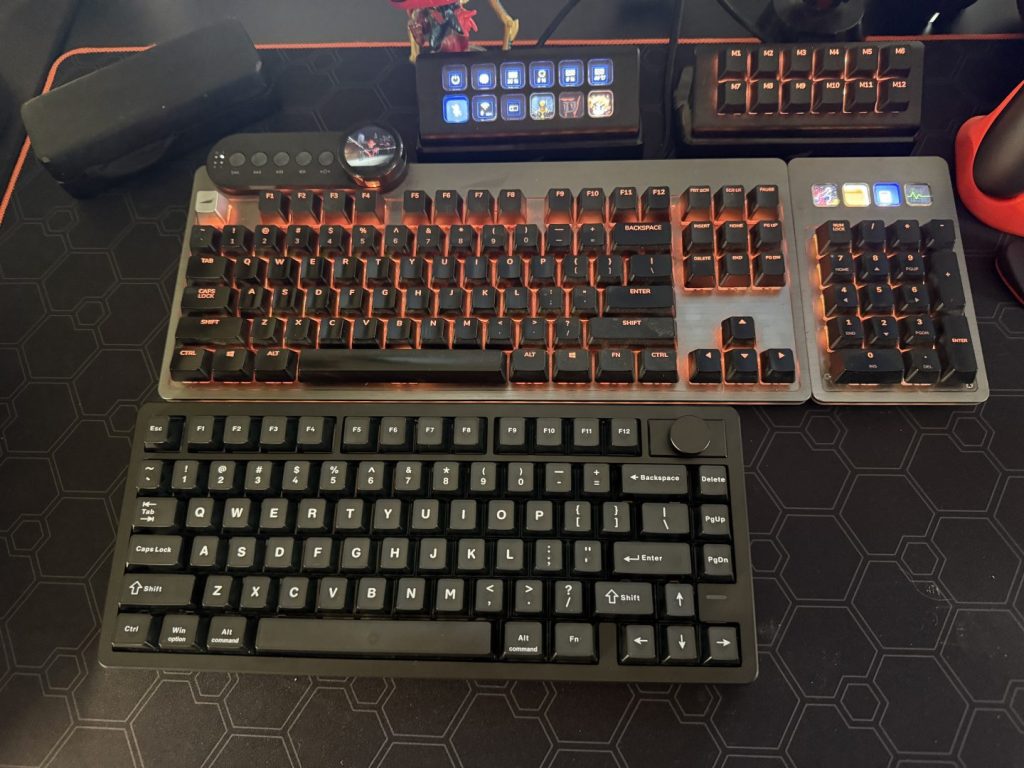
At the time of writing this review, the HE75 V2 has won me over, taking the place of the Mountain keyboard as the preferred Keyboard. Which is one of the biggest compliments I can give it, as I have used other boards in the time since receiving the Mountain and hadn’t had any come close to taking its place.
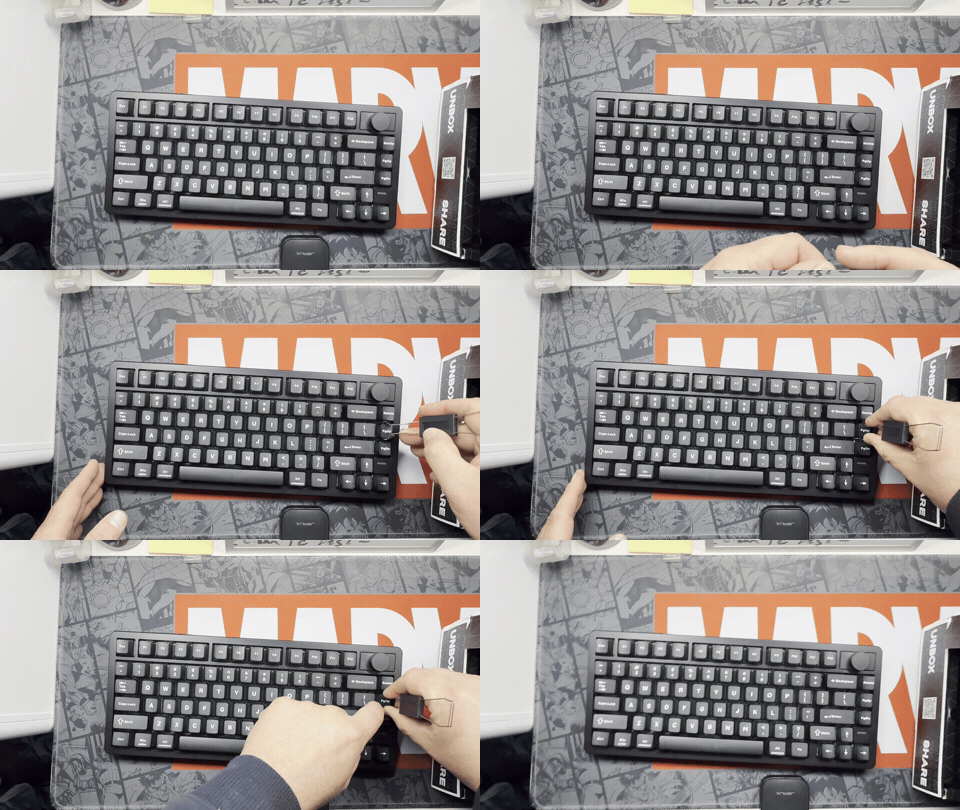
This board ties in nicely with the Epomaker Carbonis mouse I also reviewed. The pair complement each other nicely as a desktop pairing. They often were my travelling companions during gaming nights and times when I wanted to be typing outside of my standard setup. The keys were also easy to remove to allow for easy cleaning and swap out.
Overall, the Epomaker HE75 V2 is a great 75% keyboard. While it initially intimidated me and I used it sparingly, I soon found it was a great addition to my desktop and travel setups. The beautiful sound and adjustable keys made it a great daily driver and gaming companion. Although it is a bit heavy for air travel, I have found its compact size makes it great for my normal trips as well as for around my home on my various PC setups. The smaller size makes a remarkable difference to desktop space, as do its wireless and wired connection options. It has been a while since I have had a wireless desktop setup.
Related: Lightweight and Versatile: Epomaker Carbonis Mouse Review
A review unit was supplied for the purpose of this review. Read our Ethics Policy.
Epomaker HE75 V2
While the smaller form factor won't suit everyone this keyboard is a delight to use, and has an amazing sound and feel.

Jacob Hegarty
I enjoy games, and spending time with my pets, I also love drawing, painting, and being creative.
MORE FROM JACOB HEGARTY →


Comments